[LYN-820] - Course Category
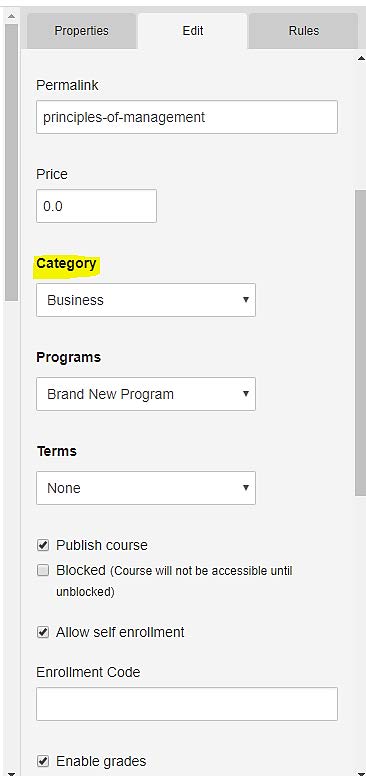
New to this release is the ability to apply a Category to a Course. This feature introduces the flexibility to better manage and display courses throughout the dialogEDU platform as it is delivered efficiently through the widget framework. E.g. Courses widget.
[LYN-821] - Course Category column in the Course Index (listing) page – backend
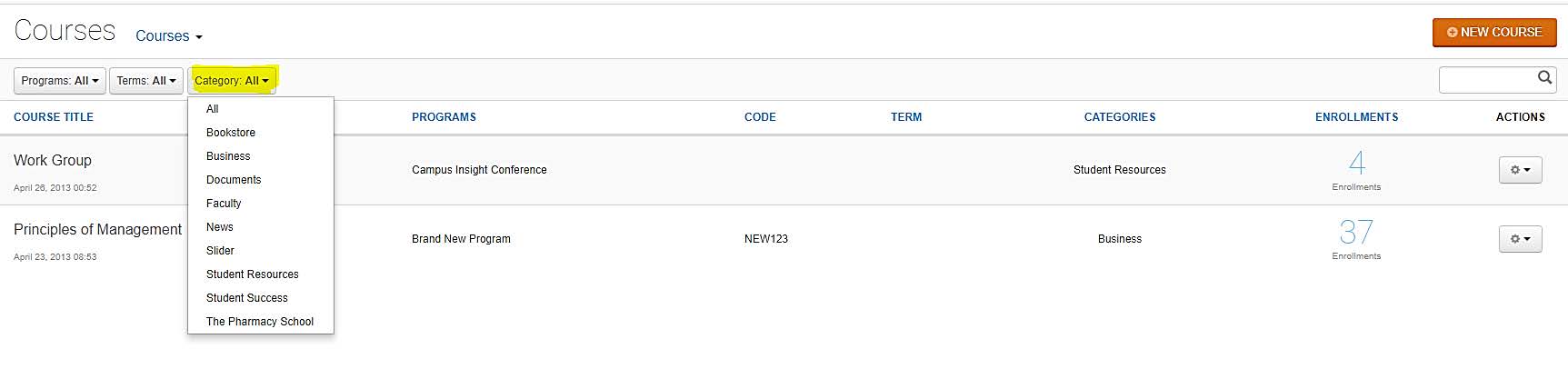
With the introduction of Course Categories in this release, we now have a new column in the Course listing page that displays the Category for the course. This can also be sorted like the other columns.

[LYN-822] - Filter by Category for Course listing
Also new to this release is a Category drop down filter for the Course Listing page in the back-end. This extends the current Program and Terms filters that currently exist.
[LYN-832] - Targeting for Courses
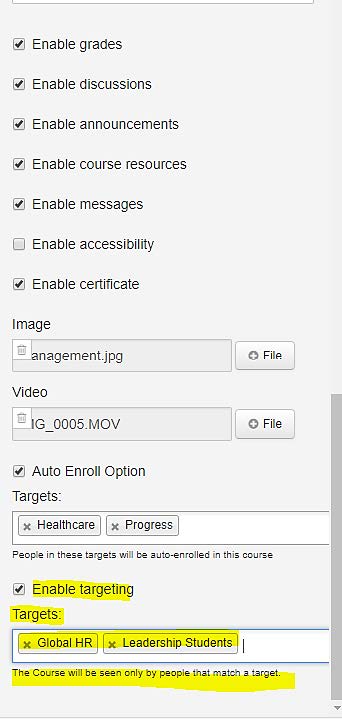
This release introduces the ability to target Courses just like you could target Programs in past versions of the dialogEDU platform. This allows Administrators to assert tight control on course visibility and thereby delivery based on a variety of custom parameters driven by the associated Targeting framework. If Targeting is applied to a Course, it will be seen only by people that match the underlying target(s) results. Multiple targets are supported per course, to allow for greater flexibility.
E.g. for global eLearning initiatives, deploying Course Targeting would ensure that course access is tightly controlled by the learner’s geographical location or by their department or a multitude of other factors that the Administrator can easily set up beforehand.
IMPORTANT:
- Course Enrollment (Manual, Auto Enroll, and API) will override the Enable Targeting settings for a Course.
- The Enable Targets option under Course Edit, in previous versions, has now been renamed to Auto Enroll Option to avoid confusion. The Auto Enroll Option still uses Targets for Course enrollments and remains unaltered in its function. The new feature in this release is labeled Enable Targeting.
- Courses that have Targeting enabled and applied will not be accessible via URLs. This is to prevent unauthorized access.
- This option is turned OFF by default.
Comments