[LYN-879] – (Pre) View Course for design validation on the front-end as a Teacher
New to this release is a Course preview feature that allows Instructional Designers and Faculty Users the ability to preview the course to validate design and consistency. This is an improvement over the existing View feature and allows a Preview for an Unpublished Course as well. That was not possible in previous versions of dialogEDU LMS.
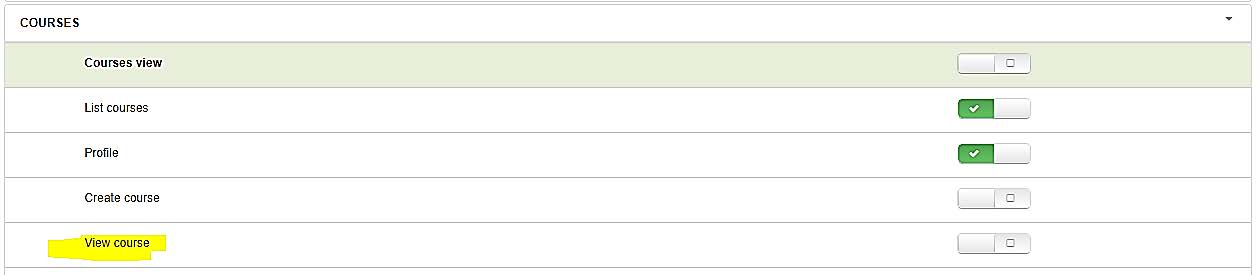

In order to use this feature, the following conditions apply:
- For Unpublished Courses, the View menu option is only available if you are enrolled into the Course as a Teacher.
- For Published Courses, the back-end user needs the View course permission to bring up the Course preview.
- For Targeted Courses, the View menu option defaults to the Course listing page on the front-end instead of the Preview IF the User is not a part of the applied Target.
Another path to the Course preview mode is a new button that is available inside the Course Edit Syllabus mode.
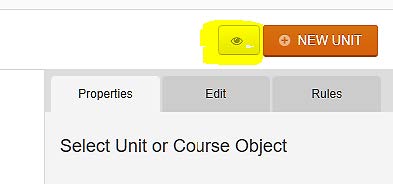
If you have course restrictions like Sequential Progress, you will need to temporarily remove them if you want an unrestricted preview of the course. The preview always opens up in a new browser window.
[SPRIN-363] - Accredited Providers Custom Attribute and Form validations
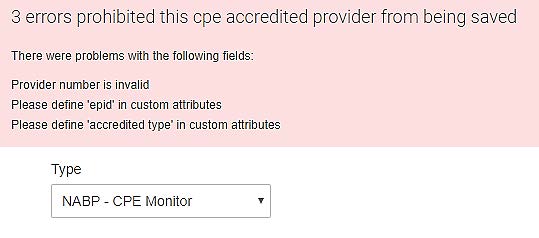
New to this release is an improved validation process to ensure accurate provider data for activity reporting to an accreditor. Before creating/updating a provider, the following mandatory user profile based custom attributes are checked for their existence.
Provider: NABP/CPE Monitor:
Required Custom Attributes: Epid, accredited type
Provider: PharmaSuisse
Required Custom Attributes: FPH_Number
Provider Name and Password can no longer contain spaces and will alert the Administrator accordingly.
Comments